

With the introduction of macOS Sequoia, Apple added more strict controls for accessing the local network. Mix to Mobile solely relies on the local network and therefore must be given access to the Local Network. This article will guide you through setting this up.
When an application requests access to the local network for the first time, a popup appears:
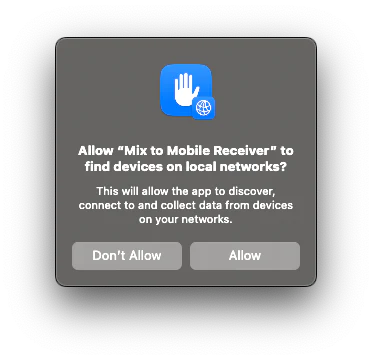
Click “Allow” to grant the requesting app (in this case Mix to Mobile Receiver) access to the local network. After granting access, restart the application.
In order to verify whether an application has been granted access, navigate to “System Settings” -> “Privacy & Security” -> “Local Network”. You’ll end up on a screen like this:
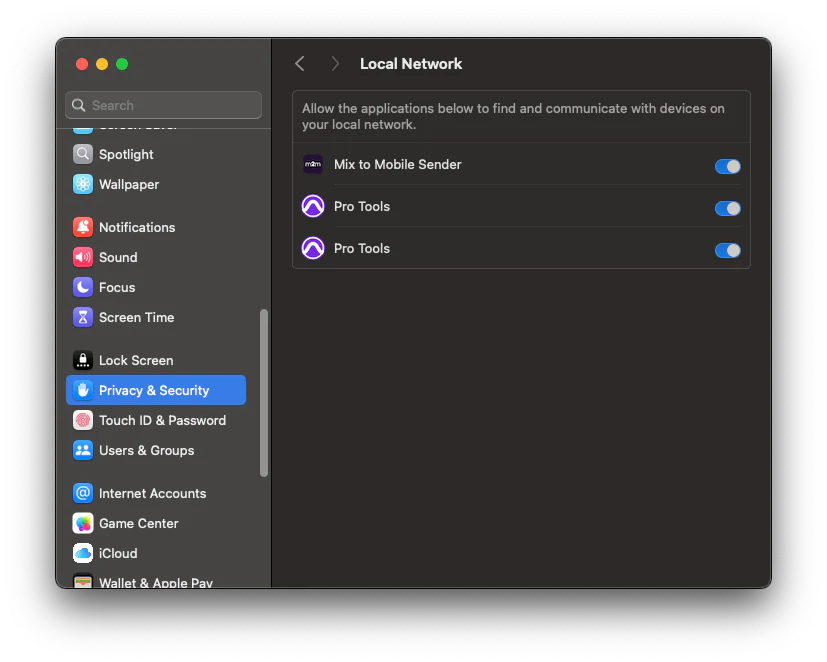
When using Mix to Mobile as plugin inside another application (DAW), make sure that the host application has access to the Local Network.