
Stop bouncing, start mixing
How many hours have you spent waiting for a bounce to finish – just because you had to transfer those music files to your phone? We’ve been there too. Frustrated. All that for a brief listen of our mix on our phone. Quality should not be time consuming.
We’ve been there
We’ve been in that loop. You want a fast and reliable way to hear your actual DAW output on a real phone. Right now. Without leaving the session or fighting with file transfers. That’s why we decided to stop bouncing. With Mix to Mobile.
Stream audio to your mobile device in real time
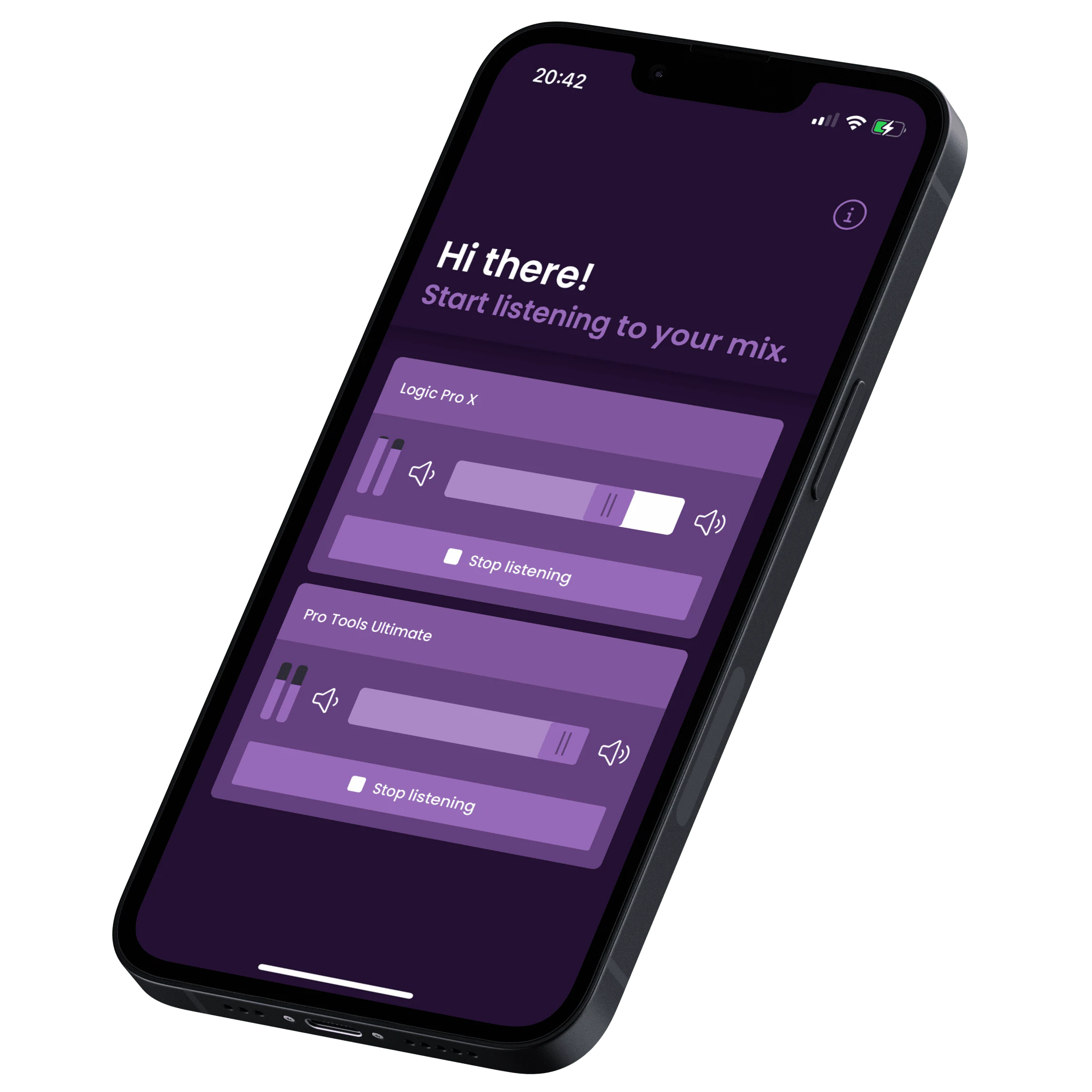
Mix to Mobile makes it fun and easy to listen to your mix on your mobile device. You no longer have to bounce your project and send it to your phone. Just by using our plugin and app, you are now able to instantly listen to your mix in real time, get feedback and make proper adjustments. Instead of waiting, spend your time wisely: resting assured your mix sounds great on mobile.
It's really that easy
How it works
- Download and install the plugin
- Download the mobile app
- Click ‘Start listening’ and start making adjustments in real time
That’s it.
What you get
If you think mixes should translate well on mobile and find the workflow to get there slow and frustrating, then Mix to Mobile is the perfect solution for you!
Mix to Mobile gets you:
- Instant mobile checks. No more bounces and file transfers.
- Smooth iteration. Adjust your mix in real time.
- Mixes which better translate on mobile.
Mix to Mobile saves you time and helps you achieve better mixes for mobile in less time. Without Mix to Mobile you’ll waste time bouncing, transferring, adjusting and repeating.
Ready to get better mix results?
Purchase Mix to Mobile for a one-time fee and without a subscription, or try it for free for 30 days.
How it really works
The technical stuff
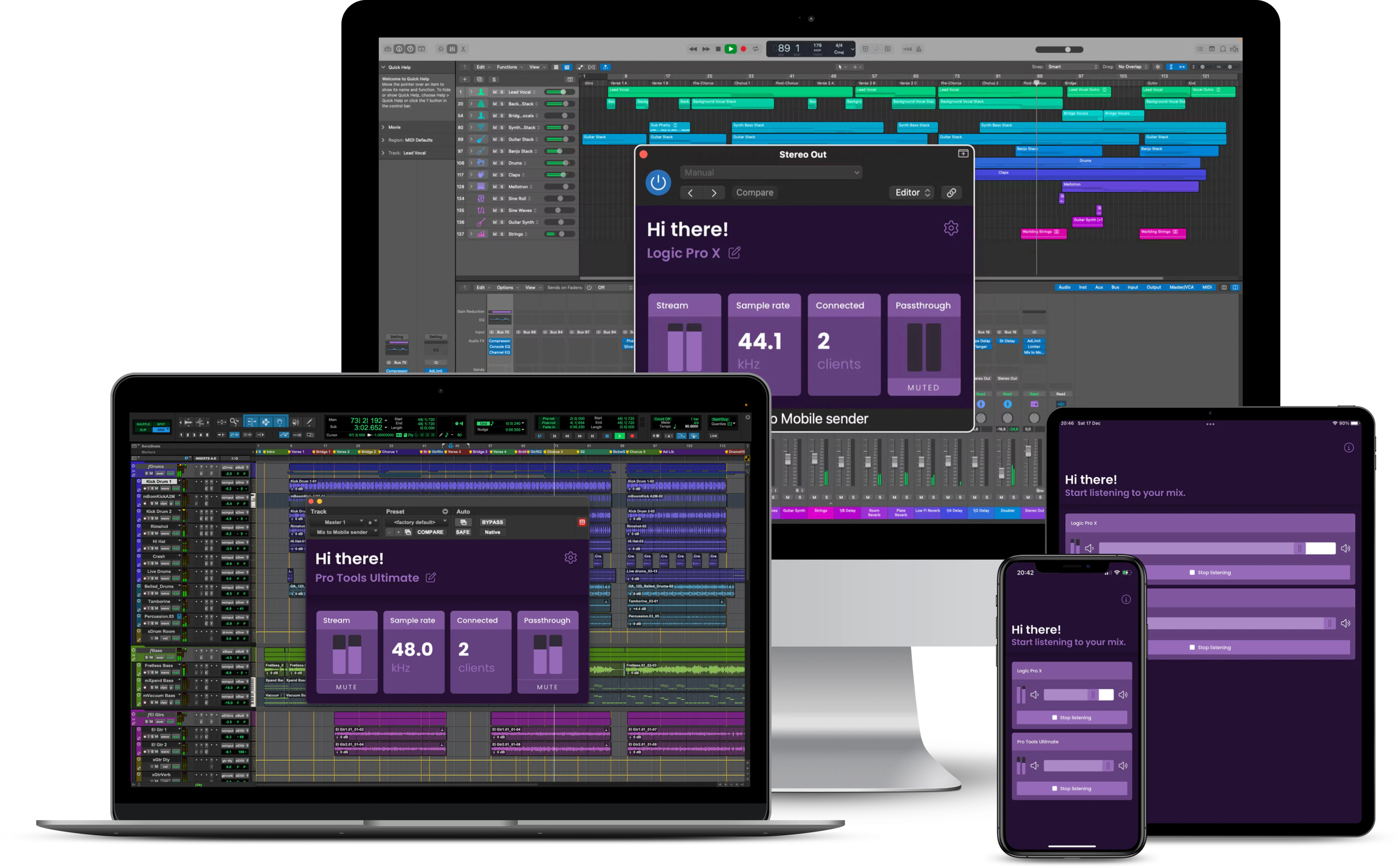
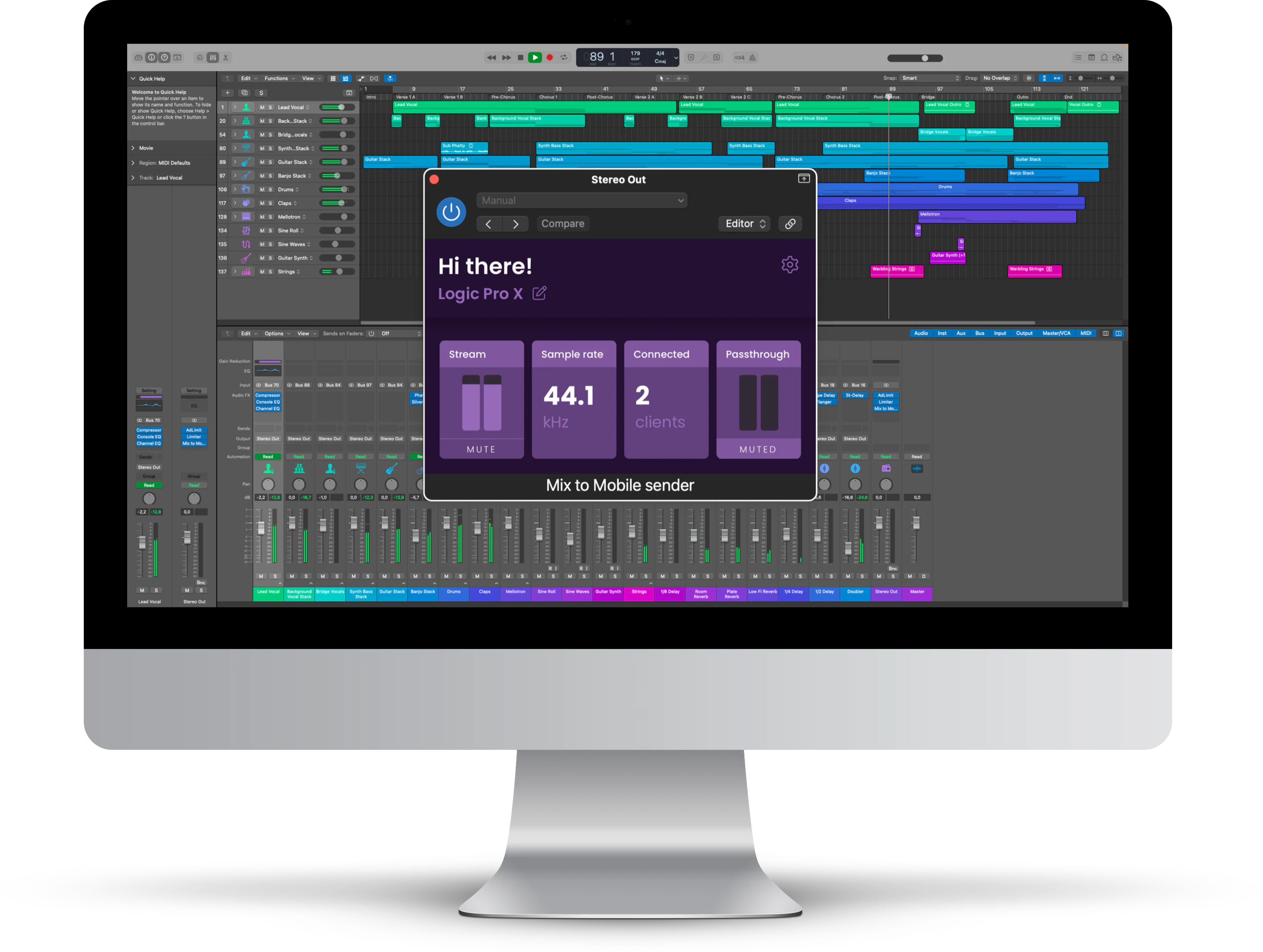
The Mix to Mobile app receives high quality, low latency, lossless audio streams directly from your DAW. The separate sender plugin is available as AudioUnit, AAX & VST3 on macOS and Windows. Mix to Mobile uses your local network to send the audio to your mobile device, including WiFi. You can send and receive multiple streams simultaneously.
Ready?
How to get started
- After purchasing the plugin, it’s only a matter of downloading the installer and letting the installer wizard work it’s magic.
- Head to the App Store and download the Mix to Mobile app.
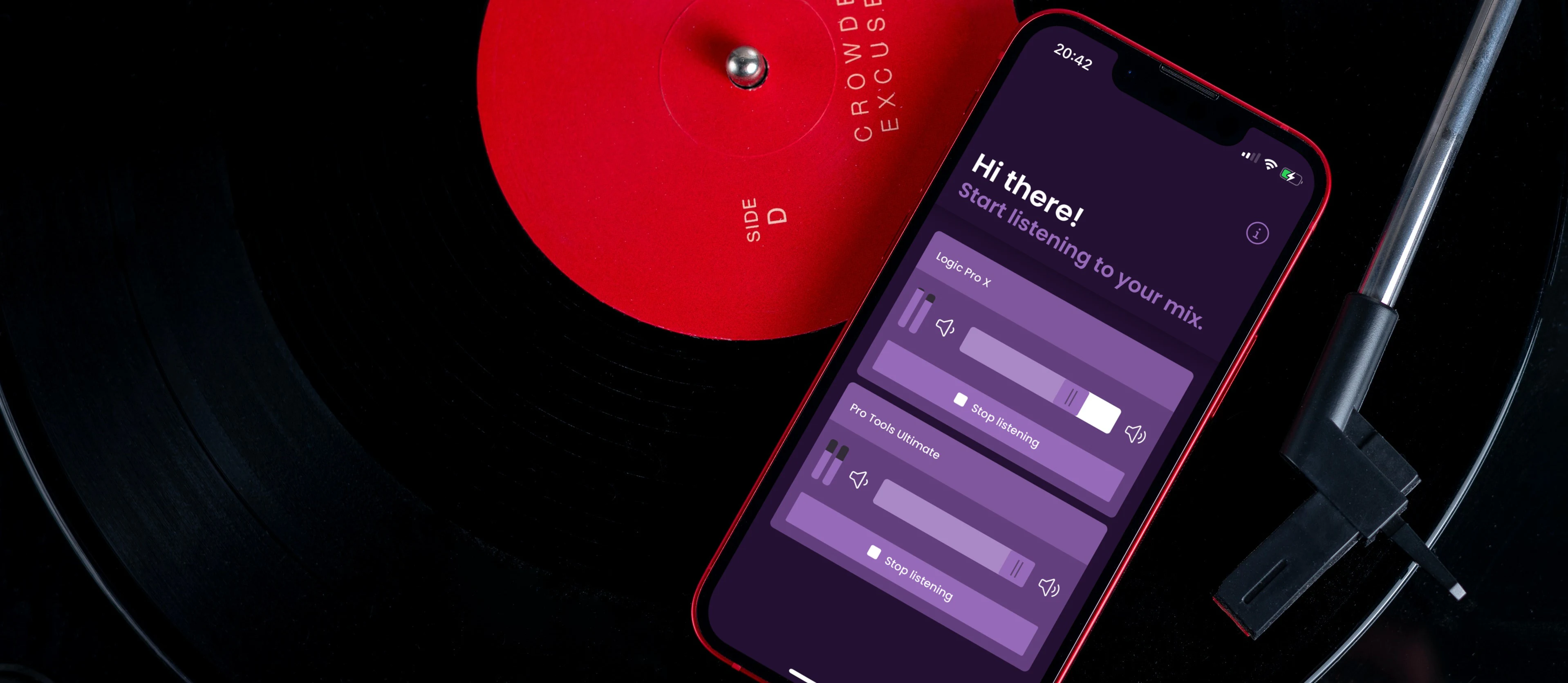
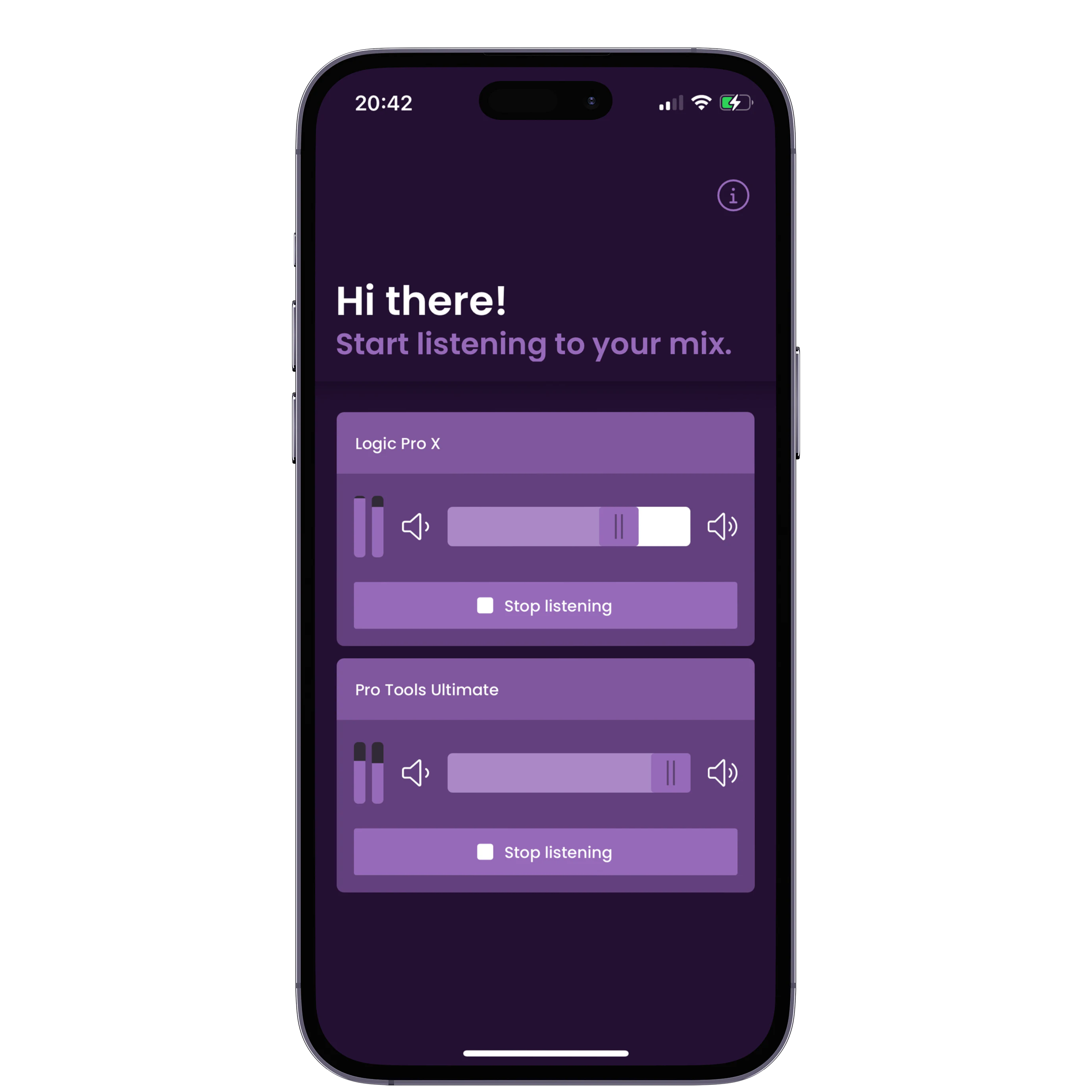
- Start your favorite DAW, add the plugin to your track and open the app. Immediately, your mix will appear. All you have to do is hit ‘Start listening’, and let the music come to your ears. Literally.
Ready to upgrade your mixes?
Purchase Mix to Mobile for a one-time fee and without a subscription, or try it for free for 30 days.
FAQQuestion away
Everything seems to be ok, a stream is discovered and a listener is registered at the sender, but no audio is being played. This might happen when your mobile app was updated and you’re on an older version of the Mix to Mobile sender plugin (or app).
To fix the issue, download and install the latest version from here: /products/mix-to-mobile/downloads/
Happens to us all. Please shoot us an email at support@soundondigital.com and we’ll sent you your license key. Usually within a business day.
Each license comes with 2 activations which can be used on 2 different devices. When you try to activate a 3rd machine you’ll get an error saying that no activations are left.
If you want to deactivate a previous activation to free up an activation, please send us an email at support@soundondigital.com and we’ll help you as quickly as possible. Usually within a business day.No, Mix to Mobile includes a desktop sender application that allows you to stream audio from any audio input device. Additionally, it features a desktop receiver application that lets you receive streams and output them to any audio output device.
This functionality was added in v1.5.0. You can read more about it here.
Please have a look at our dedicated support page.
Mix to Mobile is designed to be a stable and reliable product, but its performance is dependent on the quality of your WiFi connection. While we have taken measures to optimize our application, the stability of your connection remains a critical factor in reducing glitches and dropouts during audio streaming. Please ensure that your WiFi connection is strong and stable when using Mix to Mobile to ensure optimal performance of our product.
Mix to Mobile can be used without Wi-Fi by connecting your iPhone or iPad directly to your Mac using a USB cable. This feature is available on recent iOS/macOS versions and is a great option when Wi-Fi connectivity is limited or unavailable. With a direct USB connection, you can still enjoy the benefits of Mix to Mobile’s audio streaming capabilities.
When you use Mix to Mobile to stream audio to your mobile device, the audio is sent in a lossless format. If the sample rate of your digital audio workstation (DAW) matches the sample rate of your mobile device, no conversion will happen. However, if the sample rate of your DAW is different from that of your mobile device, the audio will be automatically converted without any noticeable loss of quality. This conversion process is seamless and transparent, allowing you to enjoy high-quality audio streaming regardless of the sample rates of your devices.
It’s a bug which has been fixed. Please update to the latest version (link).
Subscribe Mix to Mobile Newsletter
Drop your email and receive mix to mobile updates