

Recent versions of Mix to Mobile on Windows include a convenient feature called “Set Firewall Rules.” This feature configures the Windows Firewall to allow network traffic to and from Mix to Mobile or the host daw it’s running in. Both discovery and streaming require network permissions, so if the firewall blocks these packets, it may cause issues with discovery or streaming functionality.
In the past, setting these rules had to be done manually. Now, this feature simplifies the process. Follow the steps below to set up the firewall rules:
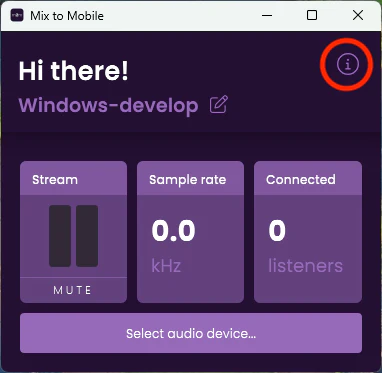
Open Mix to Mobile and click the “i” (information) button:
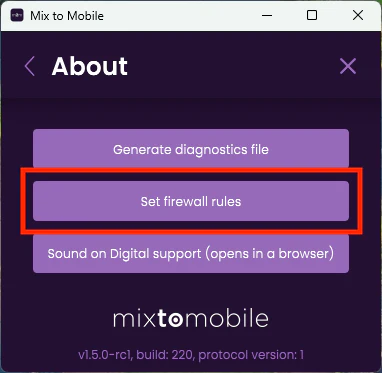
Click “Set Firewall Rules.”:
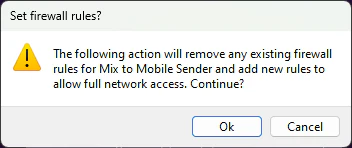
When the confirmation popup appears, click OK to proceed:
Repeat this process for every DAW (Digital Audio Workstation) where you are running Mix to Mobile, as well as from the standalone desktop app if you’re experiencing any issues.
If this doesn’t work, or if you prefer the manual way have a look at our other guide: